Project Overview
The Downstream Data Utility is a new feature designed for Ford’s internal Over-the-Air (OTA) updates management system. This feature enables engineers to edit or roll back software packages after deployment.
Our goal was to design an intuitive interface that simplified complex rollback processes, supported batch operations, and provided clear visibility into system outcomes.
The Problem
Before this feature was introduced, engineers had no straightforward way to roll back software packages that had already been deployed to vehicles. This limitation created operational challenges:
- Rollback actions required manual intervention and multiple system steps.
- Engineers lacked visibility into which rollbacks succeeded or failed.
- Managing multiple software packages at once was time-consuming and error prone.
We needed to design a tool that addressed these pain points while fitting seamlessly into Ford’s existing OTA platform.
Research & Discovery
I began by conducting stakeholder interviews and collaborative brainstorming sessions with engineers, product owners, and fellow designers to understand:
- How rollback processes currently worked
- What success and failure scenarios looked like
- How we could make the data easily accessible for the engineers
Our research revealed that engineers needed speed, clarity, and control. They wanted to:
- Roll back several software packages in one action
- Immediately see which rollbacks failed and why
- Trust that their actions would not introduce risk to deployed vehicles
Design Goals
- Simplify rollback workflows to reduce the number of steps and potential errors.
- Enable batch rollbacks for multiple software packages.
- Provide clear, immediate feedback on rollback success or failure.
- Maintain consistency with Ford’s established internal design system.
Design Process
1. Ideation & Wireframing
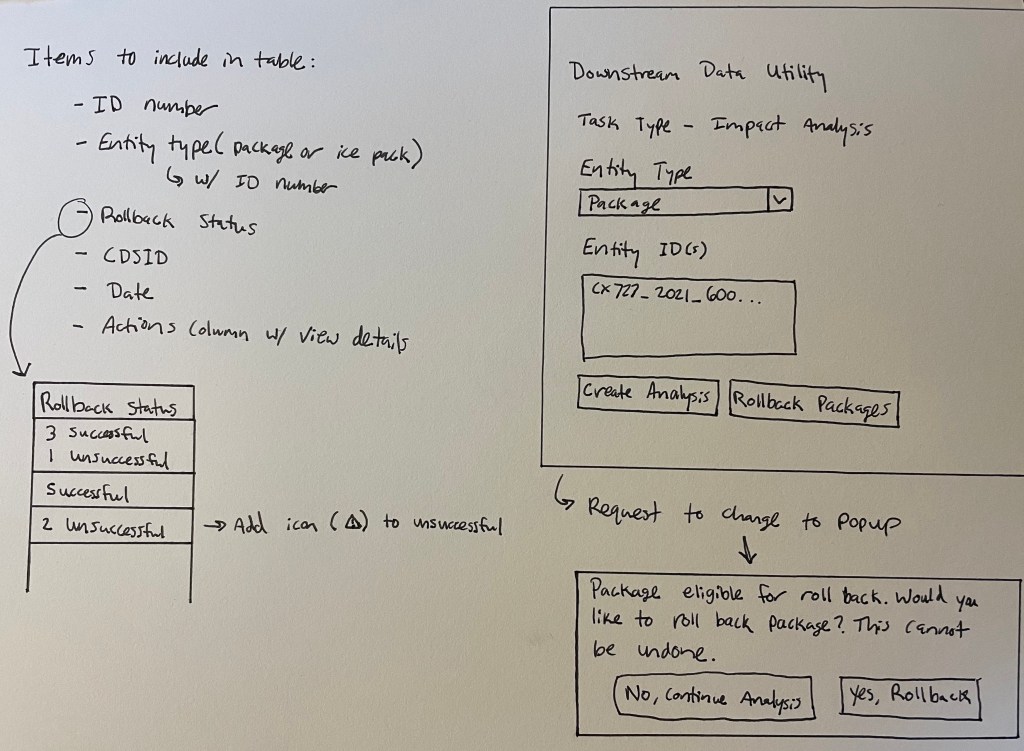
We started with hand sketches and low-fidelity wireframes to explore layout options and task flows. These quick iterations helped visualize different approaches for displaying rollback states, error handling, and user confirmations.
2. Prototyping & User Testing
Using InVision, we created interactive low-fidelity prototypes to test with real users (engineers and data analysts).
Feedback themes:
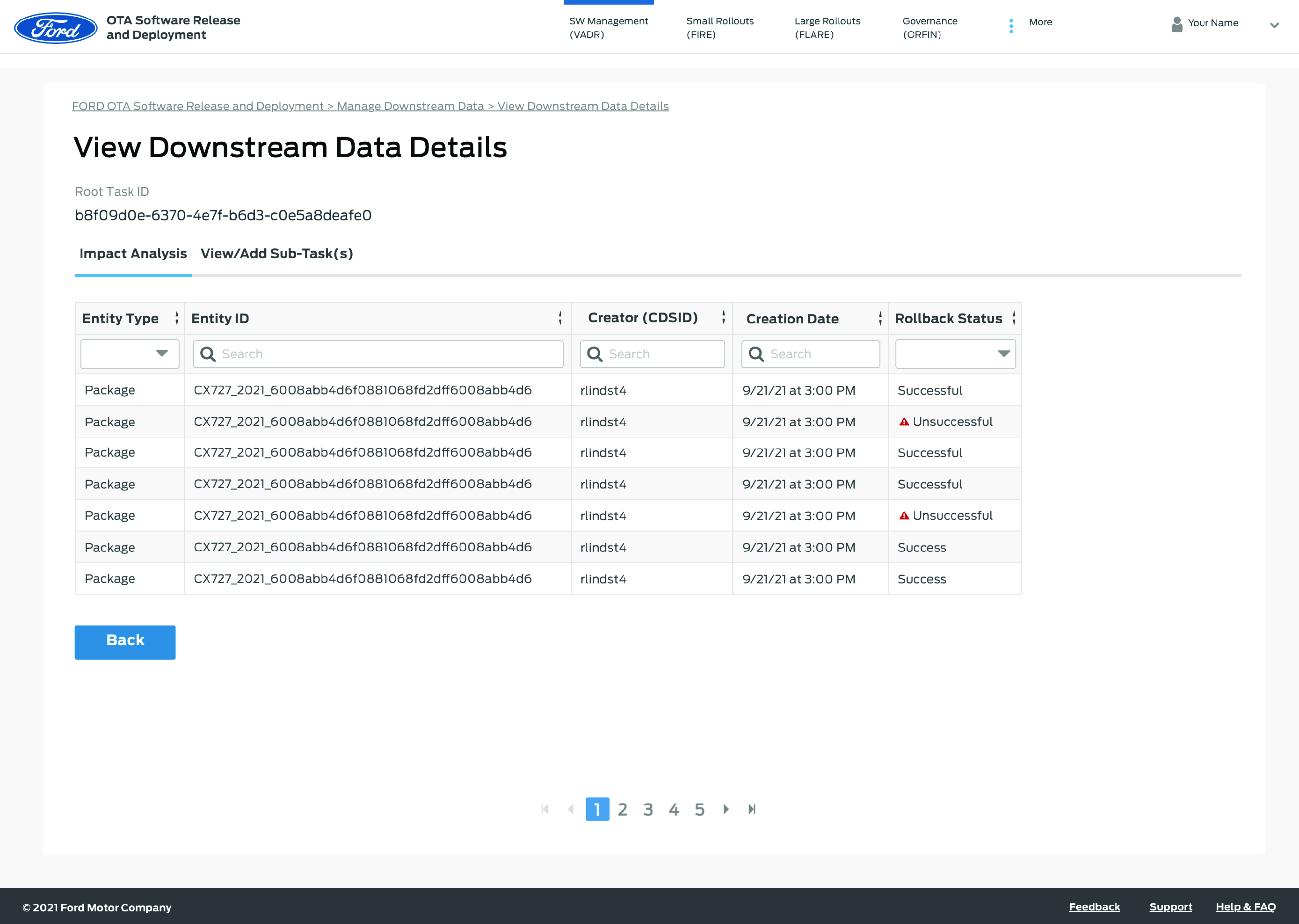
- Users wanted clear differentiation between “success” and “failure” states.
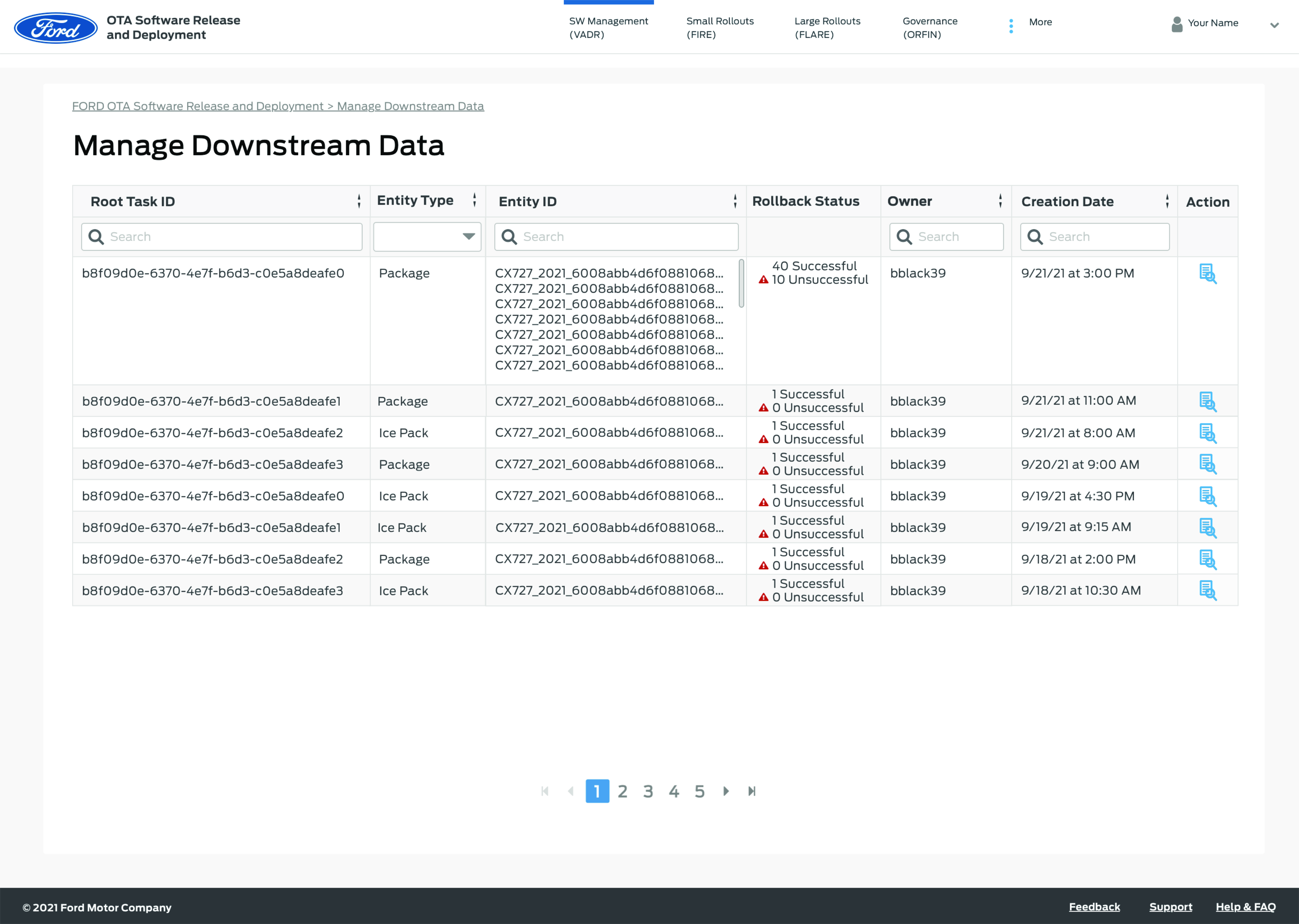
- They preferred an overview table showing rollback status across multiple software packages.
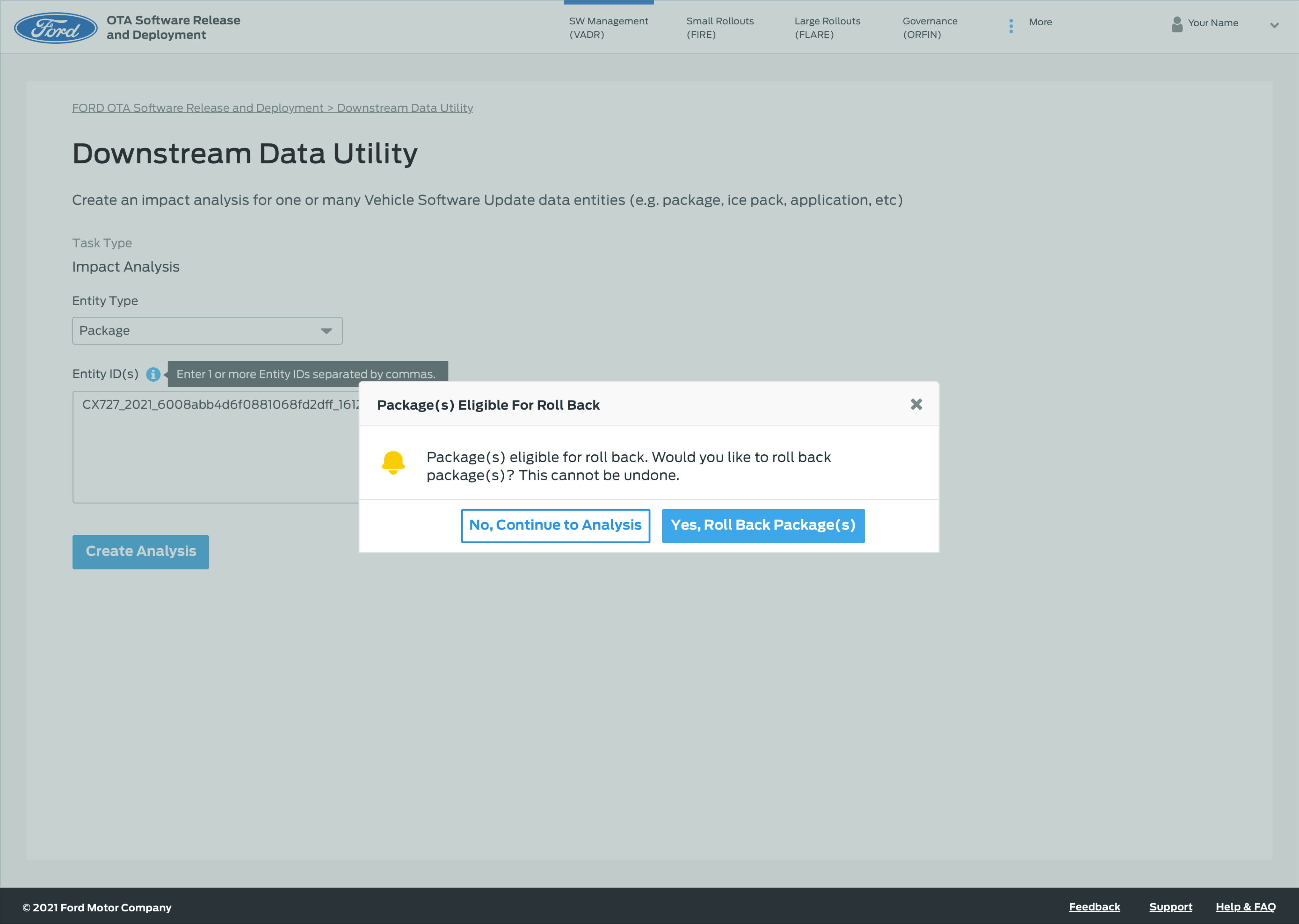
- Engineers requested a confirmation step before initiating multi-package rollbacks.
3. Iteration & High-Fidelity Design
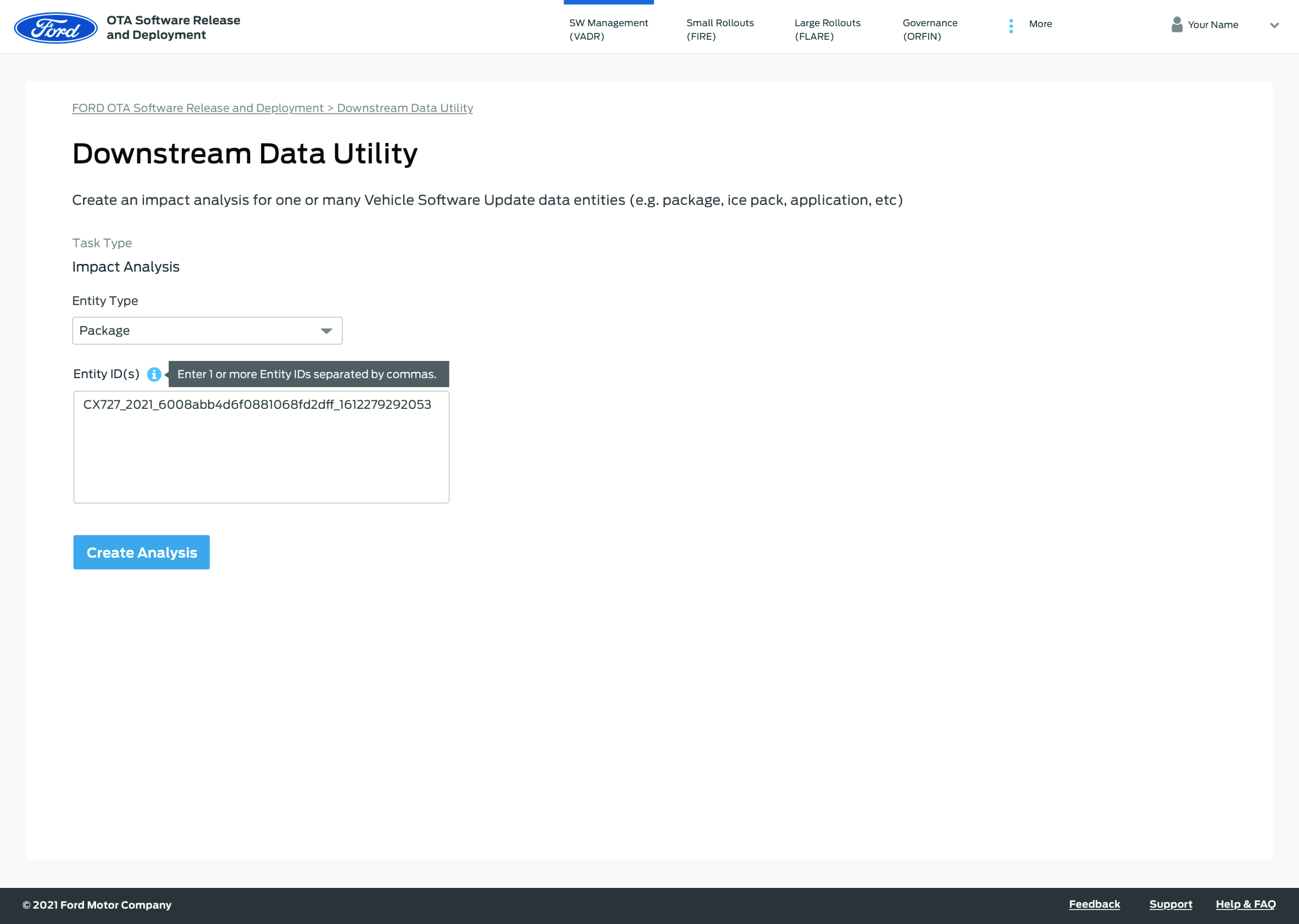
Based on this feedback, we refined the design and developed high-fidelity mockups in Sketch. Later in the project, we migrated to Figma for improved collaboration and developer handoff.
Key UI enhancements included:
- A status dashboard summarizing rollback results (success, failed, pending).
- Batch selection controls for initiating multiple rollbacks simultaneously.
- Error messaging that clearly explains rollback failures and next steps.
Collaboration & Mentorship
Throughout the project, I also had the opportunity to mentor and train teammates who were transitioning into product design. I guided them through the process of user research, wireframing, and iteration, helping them gain confidence in applying design methodologies in a real-world project setting.
Outcome
The new Downstream Data Utility feature significantly improved the rollback process for Ford’s internal OTA engineers by:
- Reducing rollback time through multi-package batch actions.
- Increasing transparency with clear success/failure feedback.
- Enhancing confidence in system reliability and data accuracy.
The feature became a critical tool within the OTA site, streamlining data management workflows and setting a new internal standard for usability in complex engineering systems.
Tools & Methodologies
- Figma – Migrated final designs from Sketch and collaboration
- Sketch – Initial visual design and wireframes
- InVision – Prototyping and user testing
- Wireframing & Sketching – Early concept exploration
- User Testing – Iterative feedback and validation
- Prototyping – Interactive experience design
Key Takeaways
- Iterative user testing early in the process helped prevent usability issues later.
- Collaboration between designers and engineers was essential for technical accuracy.
- Mentoring teammates strengthened design culture and shared ownership within the team.
 Tara Wilkinson UX/UI Portfolio